Skip to content
02Use case · regtech · client work

No-code forms for a regulated industry.

A drag-and-drop platform where analysts build compliance forms — registrations, filings, multi-step applications — and wire them to real APIs without writing code. I work on it as an external contract engineer, contributing to its product design and architecture, and I'm now helping the client's team bring an AI agent into the same workflow.
AngularDrag & dropOpenAPI bindingsRules engineMCPAI agent
problem
Every form was a dev ticketRegulatory forms change often and run to dozens of fields with conditional logic. Hand-coding each one doesn't scale.
product
A designer, not a code editorDrag components onto a canvas, configure them in one settings dialog, preview, save and publish.
wiring
Bound to real APIsFields bind to OpenAPI contracts registered in the project, so every form submits to and loads from a real endpoint.
my part
Contributor, as a contractorContributed to the designer UX, the element-settings model, conditions and bindings, step forms, host integration and the in-app guide, working within the client's team.
01 · no-code forms · client workCompliance forms, drag and drop.
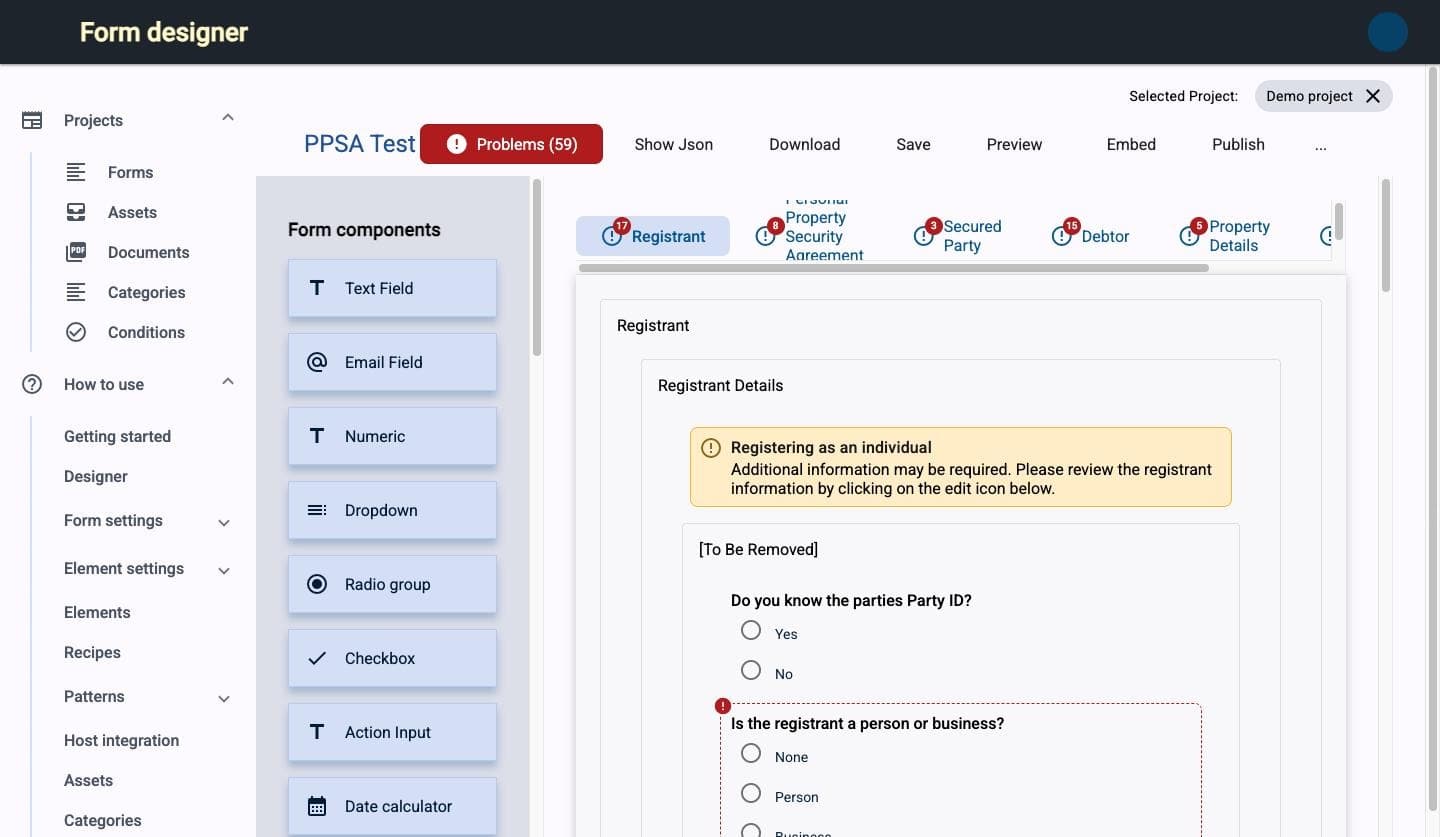
form designer · step form · registration
Form designer: component palette on the left, a multi-step registration form on the canvas with per-step problem counters
59 problems caught before publish
fig. 01Drag, drop, configure. 30 components from text fields to repeaters and charts. Step forms get one tab per step, and a live problems counter flags every misconfigured element before anything is published.
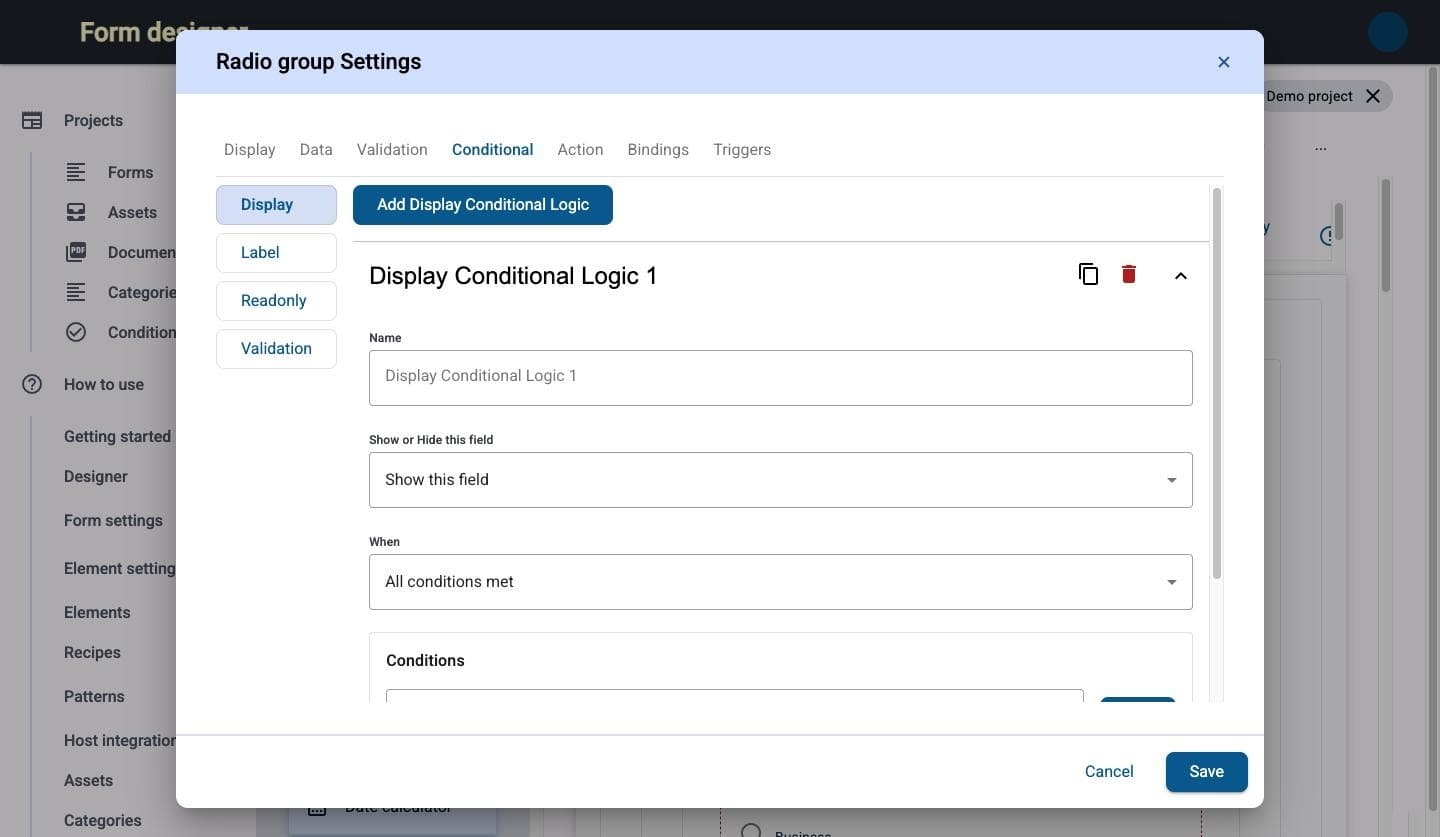
element settings · conditional
Element settings dialog on the Conditional tab: show this field when all conditions are met
fig. 02Logic without codeEvery element has the same settings dialog: display, data, validation, conditional rules, actions, API bindings and triggers. Show, hide, relabel or require a field based on other answers.
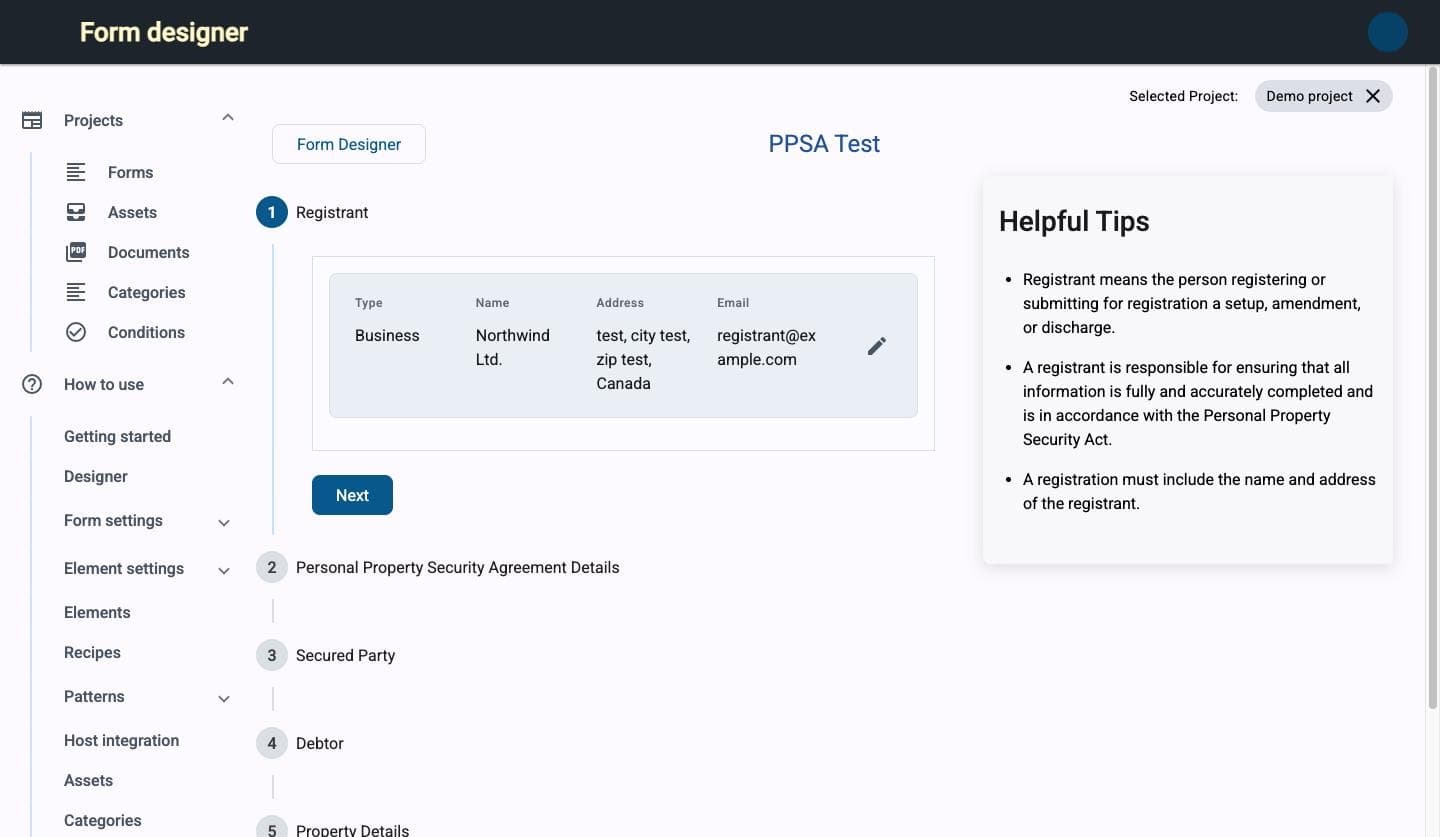
form preview · step 1 of 5
Preview of a multi-step registration form with a helpful-tips panel
fig. 03What the filer seesStep-by-step flow with contextual tips next to each step, exactly as it will run when embedded in the host application.
fig. 04

A product people can learn alone.

The guide lives inside the app: plain-language explanations for form builders, “Technical” boxes for whoever wires up APIs, recipes for common needs, and a host-integration section for embedding forms in other applications.
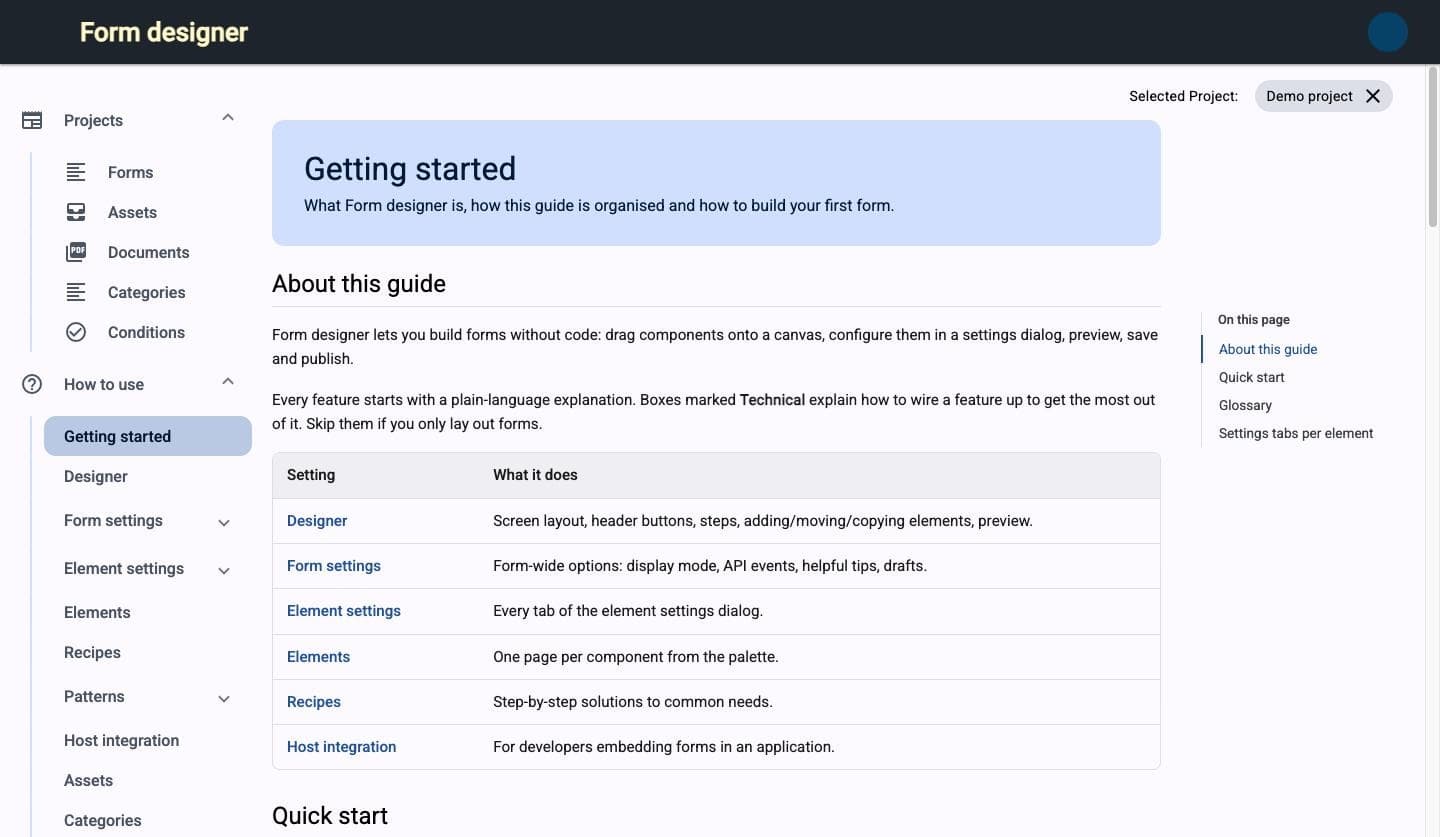
form designer · how to use · getting started
In-app getting-started guide with a table of the guide's sections
current engagement · MCP server

Hiring AI into the form workflow.

With the client's team, I'm building an MCP server that exposes the platform to an AI agent as tools. The agent drafts a form from a JSON Schema or a regulation's requirements, the designer validates it like any human-built form, and a person reviews and publishes. The agent speeds up the first 80% and never skips the checks.

same validation, same review, same publish step
the agent proposes, people approve
input01
Schema or regulationA JSON Schema, an API contract or the requirements text.
agent02
Drafts via MCPCalls platform tools to add steps, elements, rules and bindings.
platform03
ValidatesThe same problems counter as for human-built forms.
person04
Reviews in the designerEdits anything by hand: it's an ordinary form now.
person05
PublishesOnly a person can push a form live.
client-owned product · shown to describe my contribution as a contractor · names, branding and data removedTalk about your workflow